Making sales proposals with AI: structure, example requests and final checks
With Pawapo ai, you tell your connected AI the goal and the material, and it makes a sales proposal you can export to PDF and PowerPoint. If you first gather "the reader's challenge", "confirmed evidence" and "what you want decided next", it is clear what to check once the deck is made.
Last reviewed: · Pawapo ai product guide
What to prepare before you ask
- The reader's role, and what you want to decide in this meeting.
- Confirmed specifications of your service, official pricing and terms, and results you have permission to share.
- The brand kit your organization uses. To import colors from an existing deck, see your company brand kit.
If you haven't connected your AI yet, start with how to connect. Before entering a customer's confidential or personal information, check your company rules and how the connected AI handles data.
Start with 5 slides that cover what the reader needs to decide
| Slide | What it says | Material to prepare |
|---|---|---|
| 1. Challenge | The work the reader is struggling with, and what you want to decide this time | The current work, how often it happens and who does it. Sources and measurement periods for any numbers |
| 2. Solution | Which work you will change, and how | The features you can actually provide, and the work that is out of scope |
| 3. Evidence | Material the reader can use to judge the proposal | Measured results or case studies you have permission to share. If you have none, a validation plan |
| 4. Cost and terms | The cost of adoption and its assumptions | A formal quote, tax included or excluded, contract period, and what is and isn't included |
| 5. Next step | What you want the reader to decide after reading | Scope of a trial, owner, deadline, and what will be evaluated |
An example request, and editing just one slide
Replace the parts in square brackets with your own deal. This is an example request; the same wording is not guaranteed to produce a deck with the same content.
Please make a 5-slide sales proposal. The reader is [industry / role], and the goal is [what we want to decide this time]. Structure: challenge, solution, evidence, cost and terms, next step. Use only the confirmed information below. Don't make up missing numbers or case studies; write "To be confirmed" instead. Use our company brand kit. I'd like to receive it as PDF and PowerPoint. Confirmed information: [enter information that can be published or shared]
For edits, say what to change, how, and what to leave alone
On slide 2, rewrite the solution in words for frontline staff. Narrow it down to 3 features and don't add any features that aren't supported. Don't change the confirmed numbers or any other slides.
After the edit, check the slide and how it connects to the slides around it. For how to make edits, see making edits.
See a real 10-page proposal
This example covers the challenge, the market, the service overview, strengths, results, case studies, pricing and getting started, in 10 pages. It was not produced from the 5-slide request above; it is a separate sample made with the Pawapo ai rendering engine.
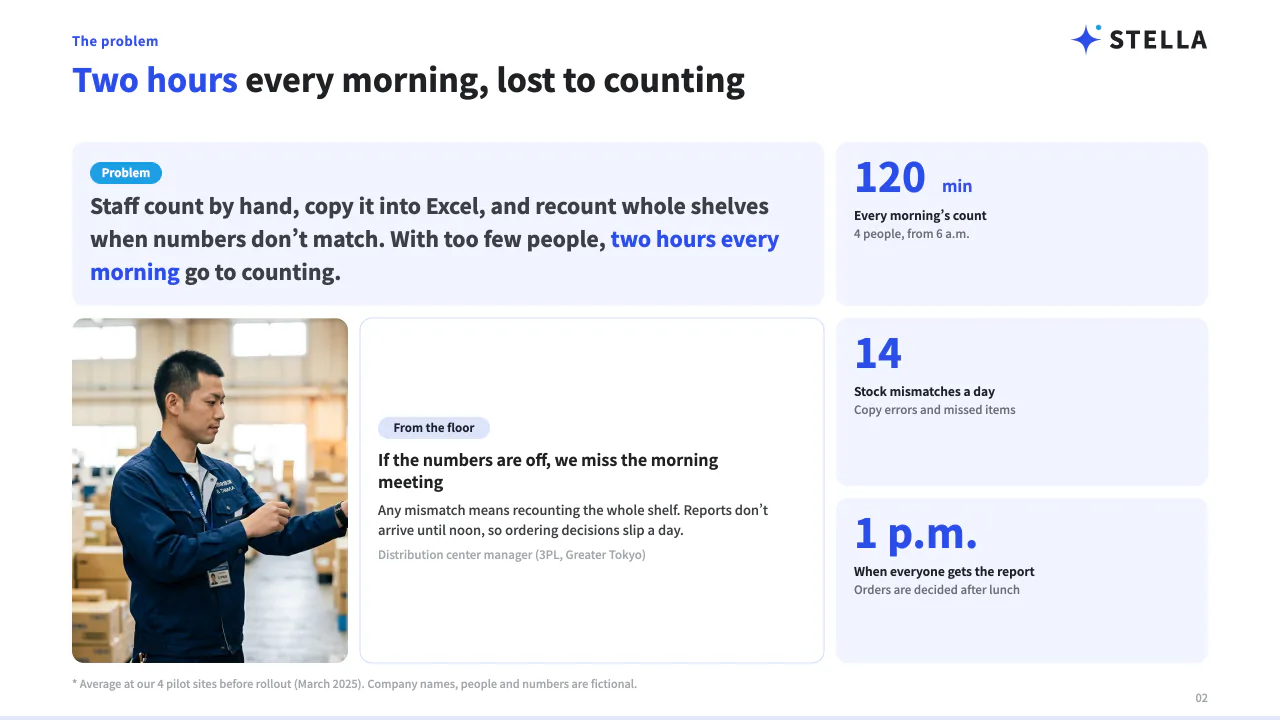
See all 10 pages of the sales proposal as a PDF
The PDF shows what the finished deck looks like. It is not proof of what can be edited. See the separate guide for what you can edit in PowerPoint, and its limits.
Checks before sending it to a customer
- Are the company names, recipients, numbers, sources and dates correct? Is any "To be confirmed" left?
- Can you actually provide the features you propose, and do the cost and contract terms match the formal quote?
- Have any fictional numbers from examples, or content from proposals to other companies, slipped in?
- In the exported files, are the fonts, line breaks, cut-off text and page order all right?
- Is it clear who will take the next step, and by when?
Editing your file in PowerPoint is not carried back to Pawapo ai. If you want the edit history kept for your team, update the deck in Pawapo ai first, then export.
See Pawapo ai pricing · Sign up free and try it · All guides